

How ScopeGrade works
One project. One source of truth.
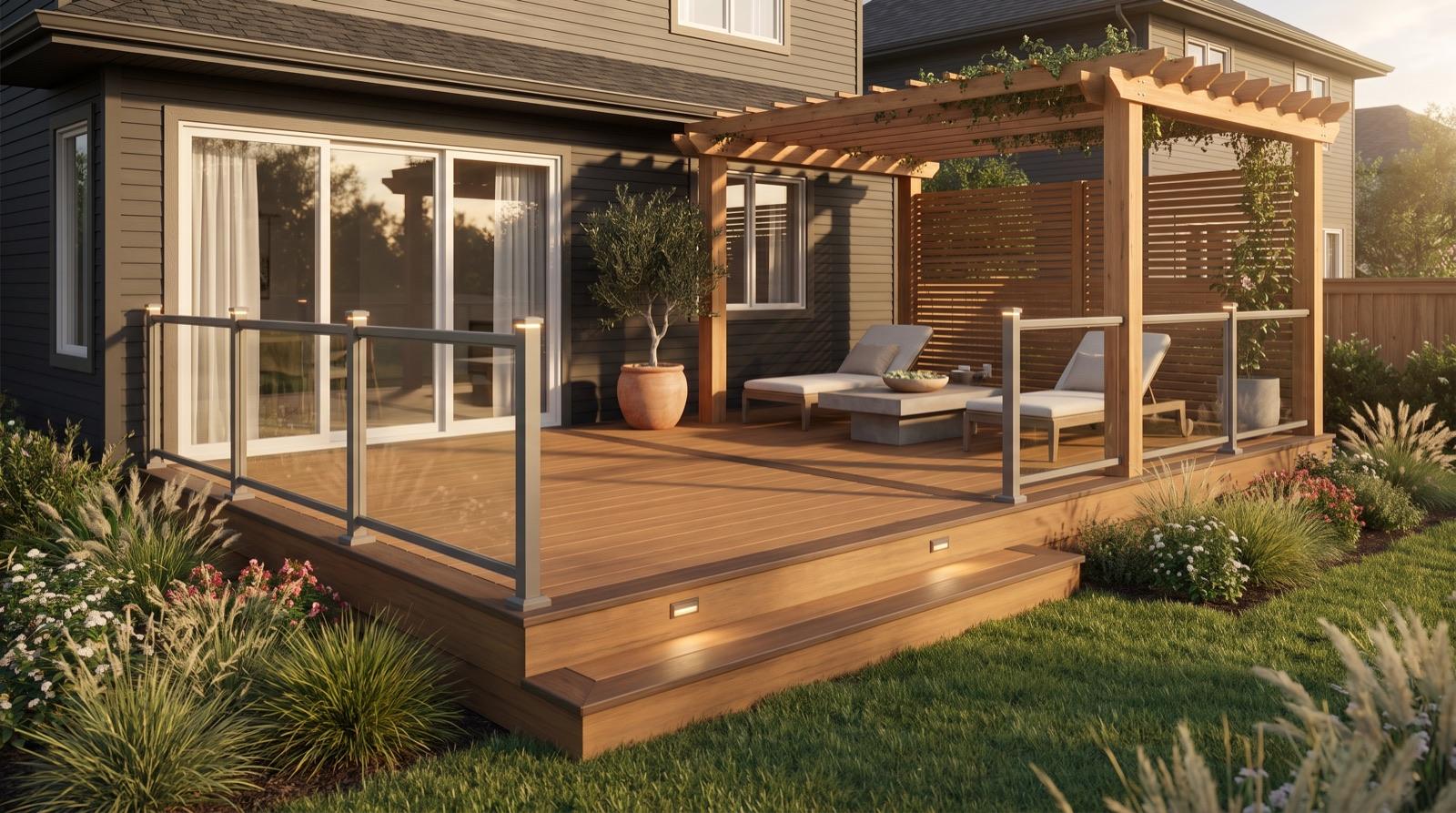
Follow one backyard deck in Guelph from the homeowner's brief to the crew's last task. What gets written once is what the contractor quotes, the office plans and the crew builds.
The project, stage by stage
Exampleis a drawn screen, in the product's own words.Live productis a capture of the running product, signed in as a made-up company.
- 1
Project brief · You
Describe the job once, properly.
Pick the kind of job and the brief asks what that job needs: questions about the work, a short list of photos to take, and when you'd like it to start. Jobs that need them also ask for rough measurements and how a crew gets in.
- Scout checks the brief is complete, and it can't be posted until the check passes.
Example · your project brief
Decks
Backyard Deck
Guelph · N1G
- The work
- Replace an existing deck · ≈ 320 sq ft · measured
- Site
- Access: Gate · 36″ at the narrowest
- Start
- In 1–3 months (flexible)
Media · 8 photos
- The whole deck (or the spot for it)
- Where it meets the house
- The way into the yard
- 5 more
Project prep10 of 10Scout project check: ready to post
- 2
Contractor responses · Contractors, then you
Contractors reply to the brief, not to a guess.
Contractors see your whole brief before they reply. Each says why they're a fit, can give a rough range, and picks a next step. When one asks a question, you answer once and can add the answer to the brief for everyone.
- Contractors see your town and the first three characters of your postal code. Asking one for a site visit is what shares your street address, and only with that contractor.
Example · responses on your project
Contractor responses · 3
Harrow & Pine LandscapesScopeGrade Verified
We rebuild decks this size on concrete piers. One question before we quote.
- Preliminary range
- $17,000 – $20,000
- Before a site visit — not a quote
- Next step
- Ready to send a formal quote
Summit BuildersScopeGrade Verified
We can do this. I'd like to see how the old deck meets the house first.
- Next step
- Wants to visit the site
Northline Contracting
Interested. Could we talk through the railing options?
- Next step
- Suggests a quick call
Clarifications
Q: Does the old deck need to be removed and hauled away?
A: Yes. It needs to come out, and the ledger board with it.
In the brief for all contractors
- 3
Compare quotes · You
Compare what each price buys.
Formal quotes line up on the same rows, so you can see what each price includes and leaves out. Scout checks each one for what it doesn't say and turns the gaps into questions to ask.
- On these quotes Scout doesn't pick or rank a winner, and it doesn't say what the work should cost.
Example · quotes on your project
Formal quotes · 3
Three example quotes compared on the same rows NorthlineNorthline Contracting Harrow & PineHarrow & Pine Landscapes SummitSummit Builders Price $15,200 $18,500 $22,400 Type Starting at Fixed price Fixed price Start Oct 19 Oct 5 Nov 2 Duration 8 days 10 days 12 days Exclusions None listed Electrical, lighting, moving the gas meter Railing over a $2,000 allowance Warranty Not stated Two-year workmanship Not stated Questions to ask 5 None 2 
Scout's check · Northline Contracting · 5 questions to ask
- This is a starting price, not a total. Ask for a fixed price or a not-to-exceed amount.
- You told contractors the old work needs to come out. This quote doesn't mention removal or disposal — ask if it's included.
and 3 more
- 4
Hire · You
Hire on scope, not just price.
Your contractor has 72 hours to confirm, and you can't be charged before they do. You pay the deposit on their quote to start, and the rest when the work is finished. Every other contractor is told the job has gone.
- Paying online needs your contractor to have set up payments. Until they have, you arrange payment with them directly.
Example · your project, once you hire
Your contractor
Harrow & Pine Landscapes
ConfirmedDeposit paid
- Agreed price
- $18,500
- How it's paid
- 30% deposit ($5,550) to start, $12,950 when the work is finished
- Planned start
- October 5, 2026
- Expected duration
- About 10 working days
Goes with the hire
- Your scope
- The agreed price
- The dates
- Your address, if you gave one
- Site access and hazards
- Your answers
- Copies of your photos
A client and a job in Ops Suite
Created for your contractor the moment you hire.
- 5
Ops Suite job · Your contractor's office
Your project becomes their job.
The job starts with everything above already in it. Then your contractor's office plans the work: the crew, the days, the tasks.
- The crew sees nothing about a job until the office deploys it to them.
Ops Suite · the same job, a week into the buildLive product 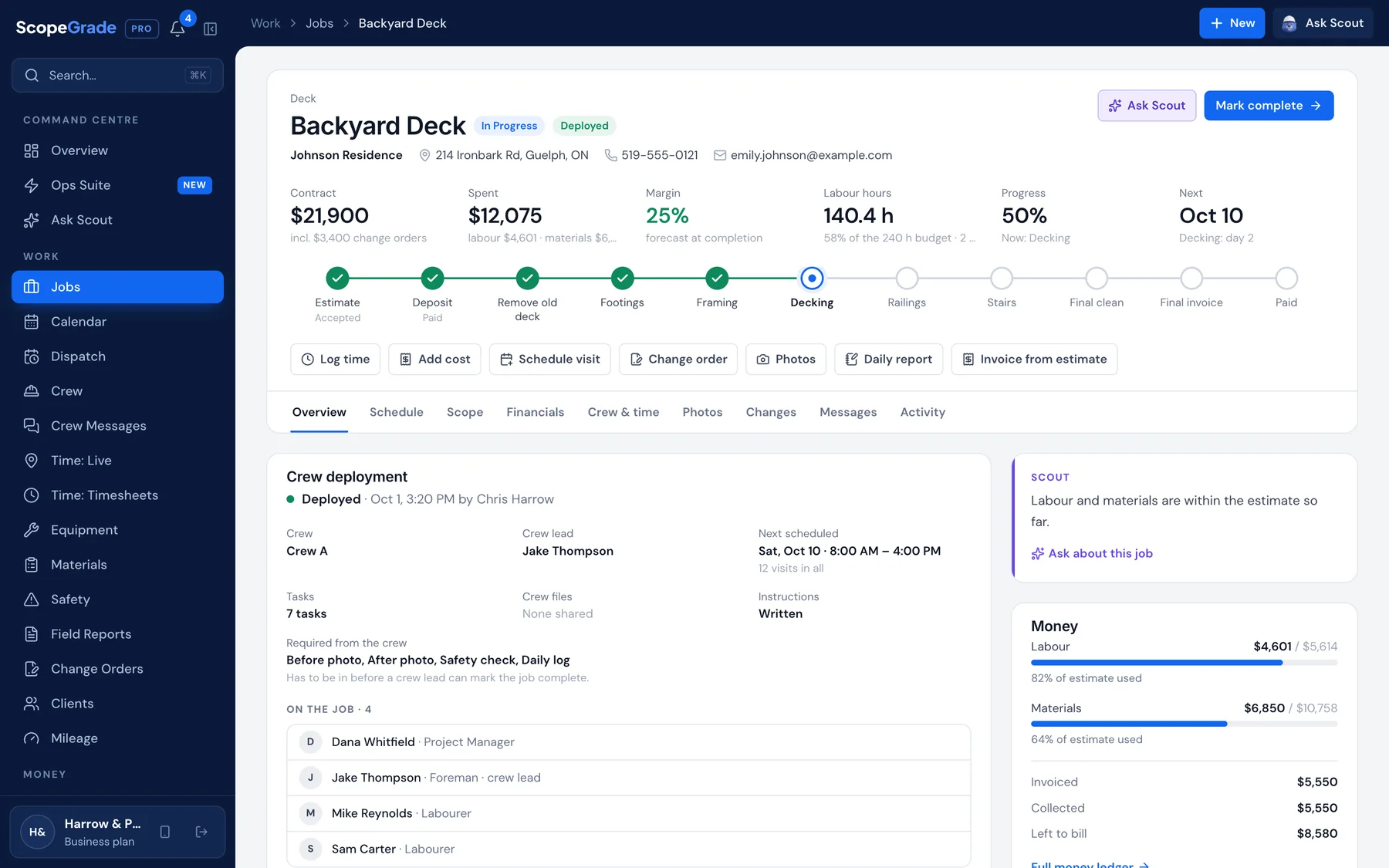
- 6
Crew Portal · The crew
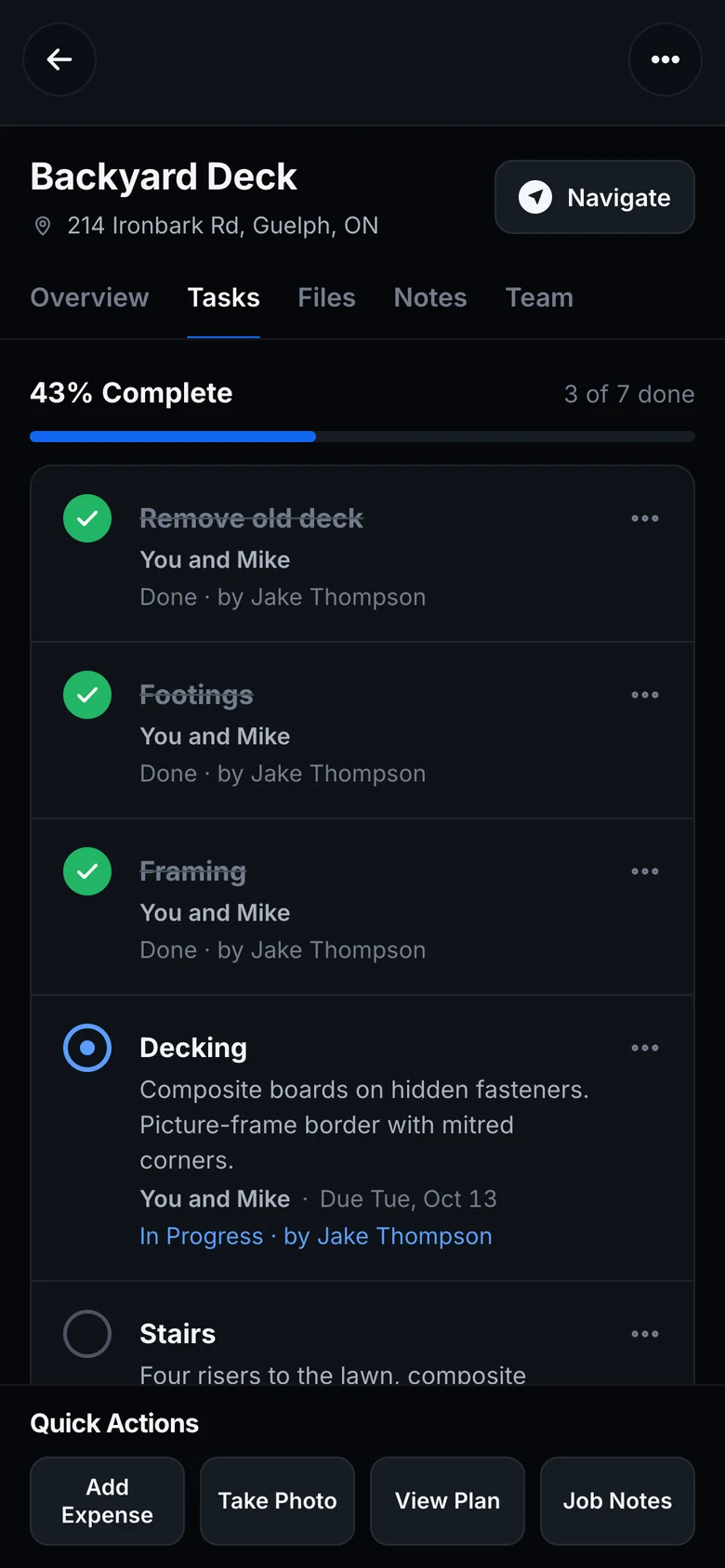
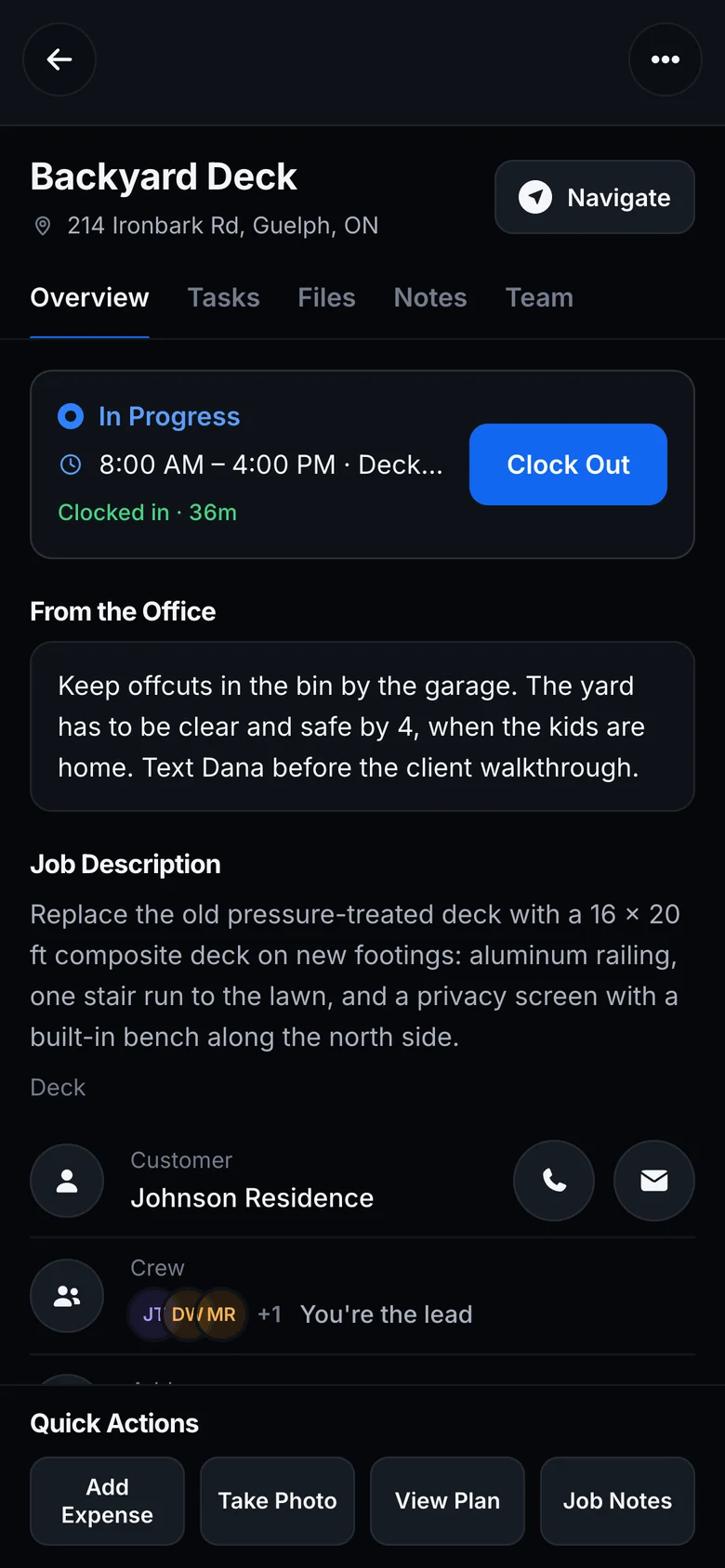
The crew works from the same job.
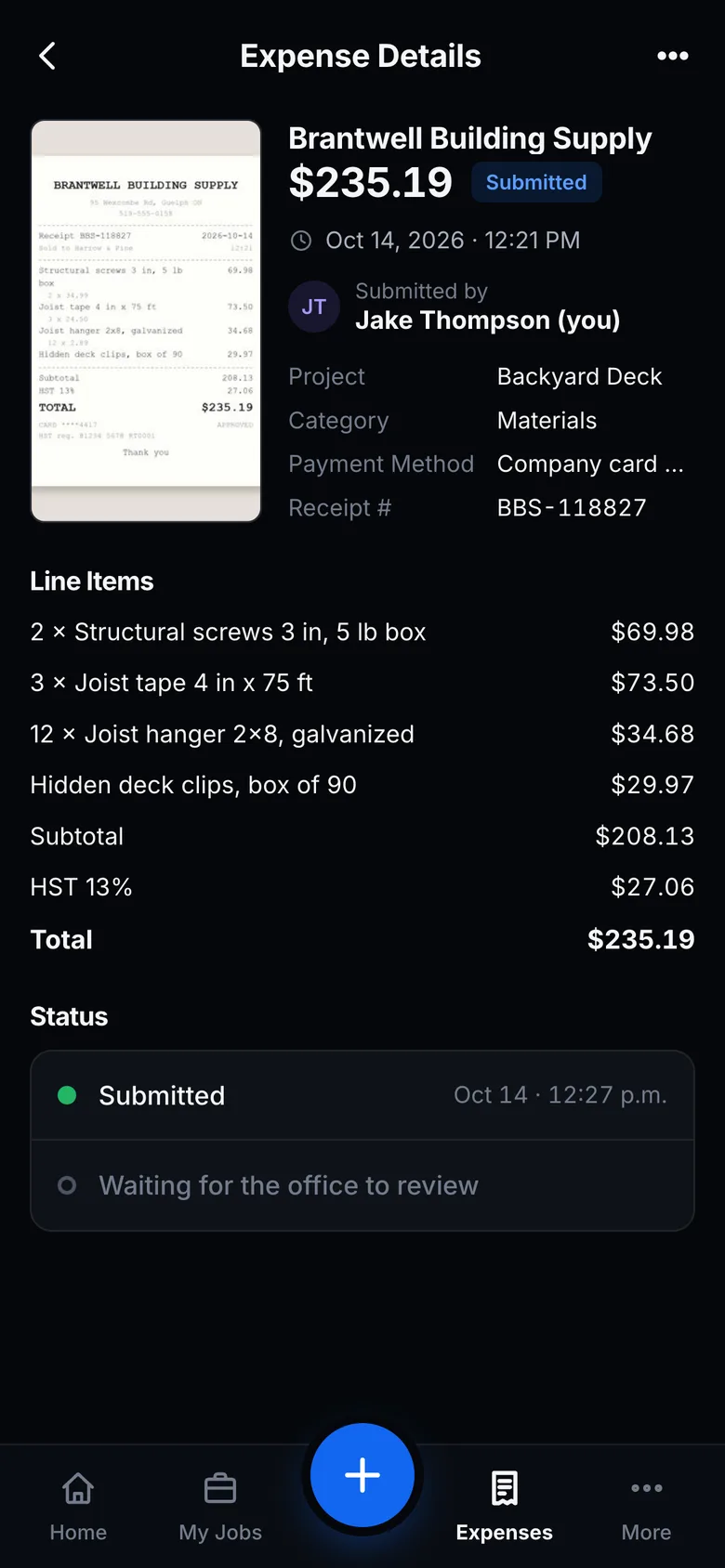
On their phones, in the browser: the address, the tasks, the note from the office. What they log goes straight back to the job your contractor is running.
- The Crew Portal runs in the phone's browser. There is nothing to install.
- It never shows a job's contract price, budget or invoices, or anyone's pay.
On the phone
Tasks ticked off
In the office
The job's stages move
The jobLive product On the phone
A receipt, photographed
In the office
An expense, ready to approve
ExpensesLive product 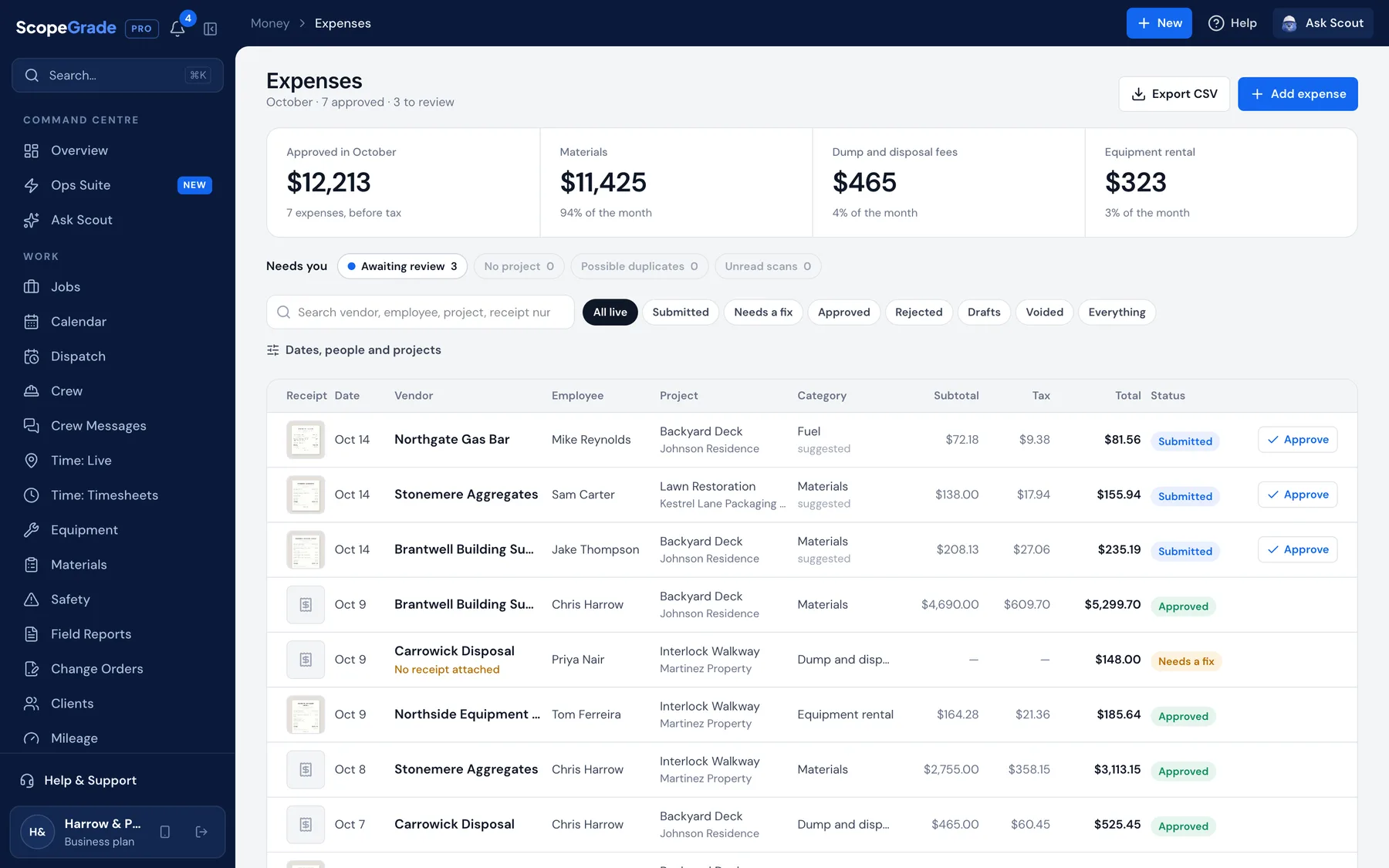
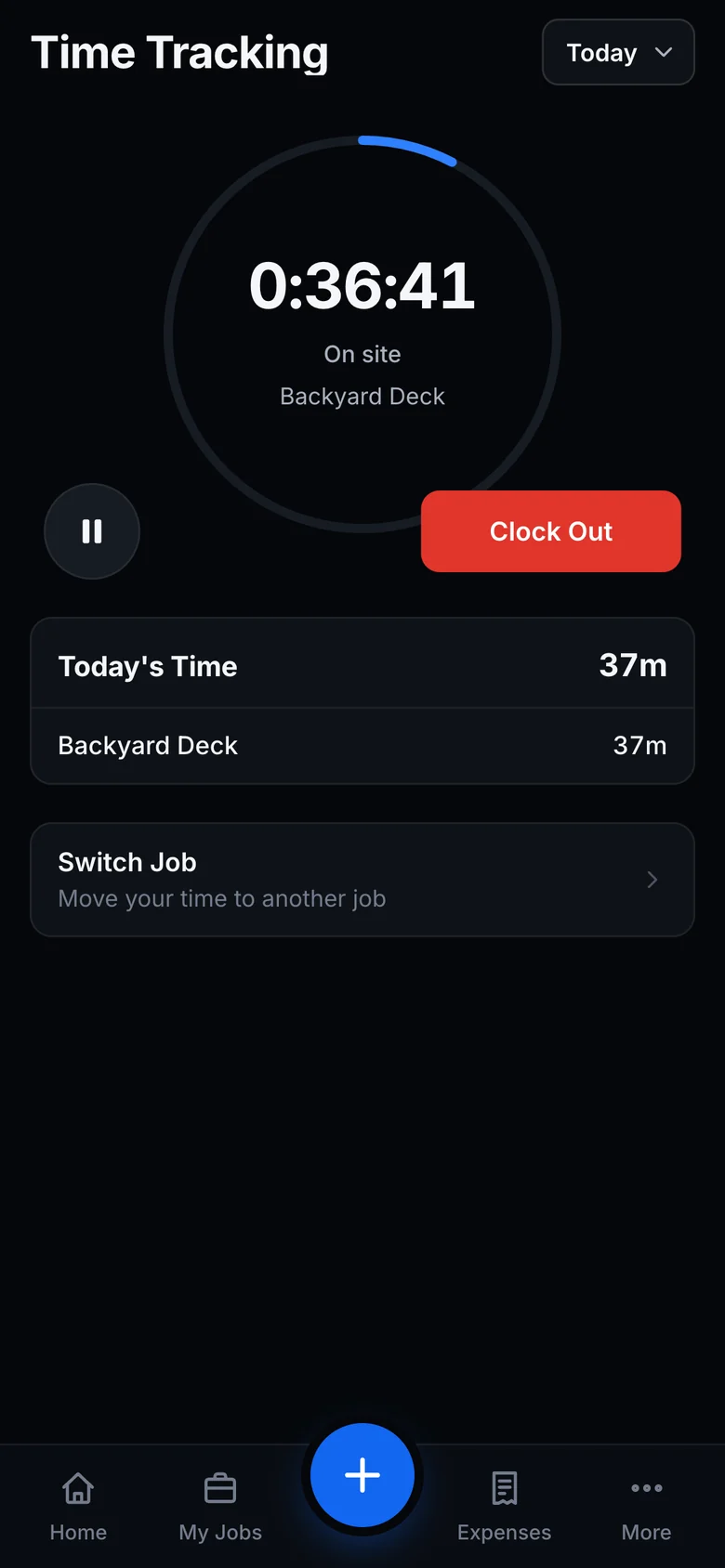
On the phone
Clocked in on site
In the office
Labour cost, by job
TimecardsLive product 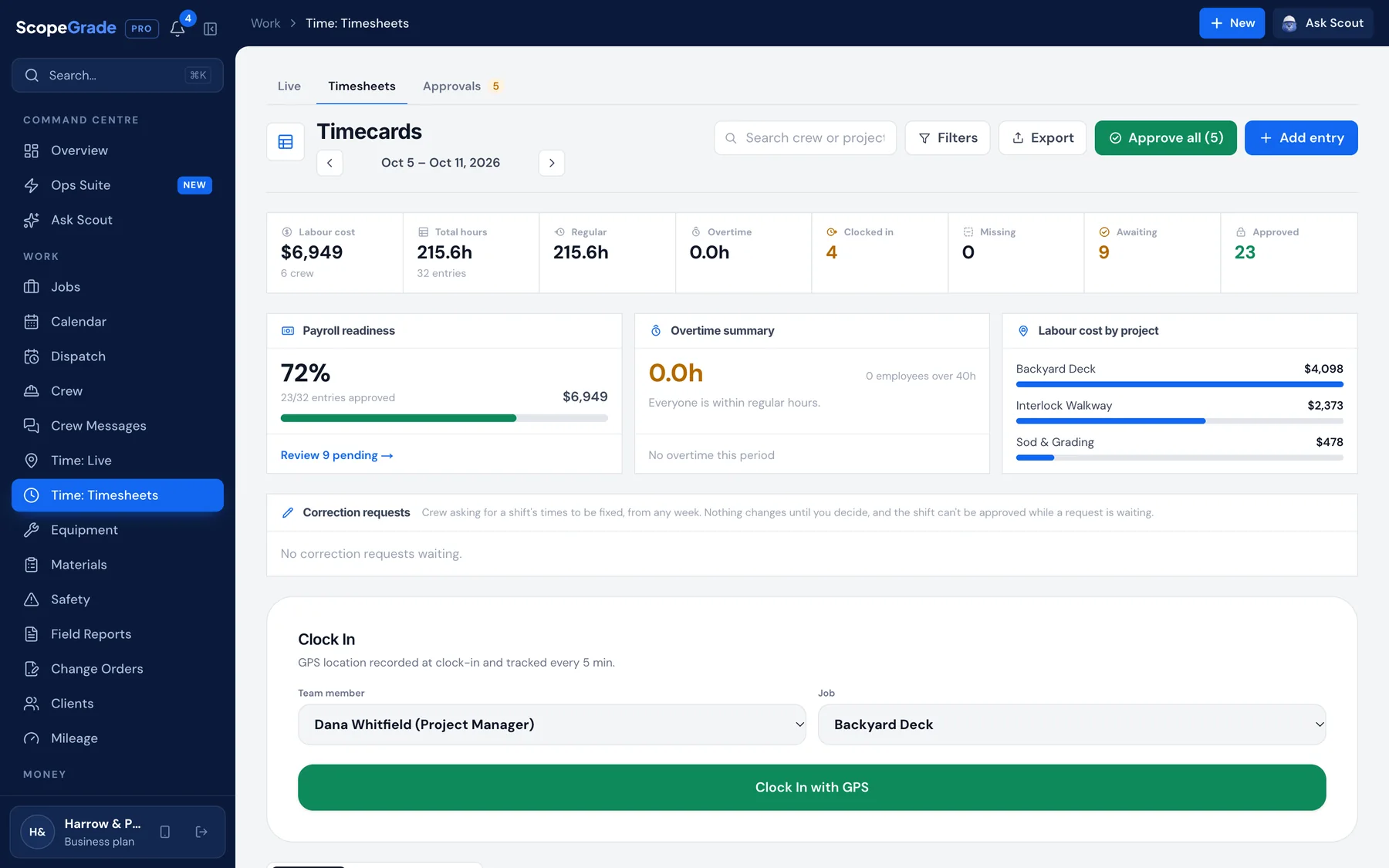
Swipe to see all three
- +
A change · Meanwhile
A change, priced and approved.
Halfway through, you ask for a privacy screen and a bench. Your contractor's office writes it up as a change order with a price. Once you approve it on the client portal, its price is added to the job's contract value.
- The client portal is a private page your contractor can turn on for your job. An approved change is billed separately from the quote you hired on.
The client approves
Example · the client portal
Change order history
Privacy screen and built-in bench
$3,400.00 · “Yes please. Same decking colour for the bench top.”
Approved
The contract, in the office
The jobLive product $18,500 agreed, plus $3,400.
The job, once the office adds the work
Live productCrew Portal
- 7
Complete · Both of you
Done. And it stays on record.
Your contractor reports the work finished. You pay the rest of the quoted price, mark the project complete yourself, and can leave feedback.
- Feedback is fourteen questions, not stars, and it is anonymous.
What you keep
Example · what stays on your account
- The brief and all three quotesMy projects
- Payments made through ScopeGradePayments
- Photos and documentsFiles
- What happened, in orderTrust ledger
What your contractor knows
Job costing · part way through the buildLive product 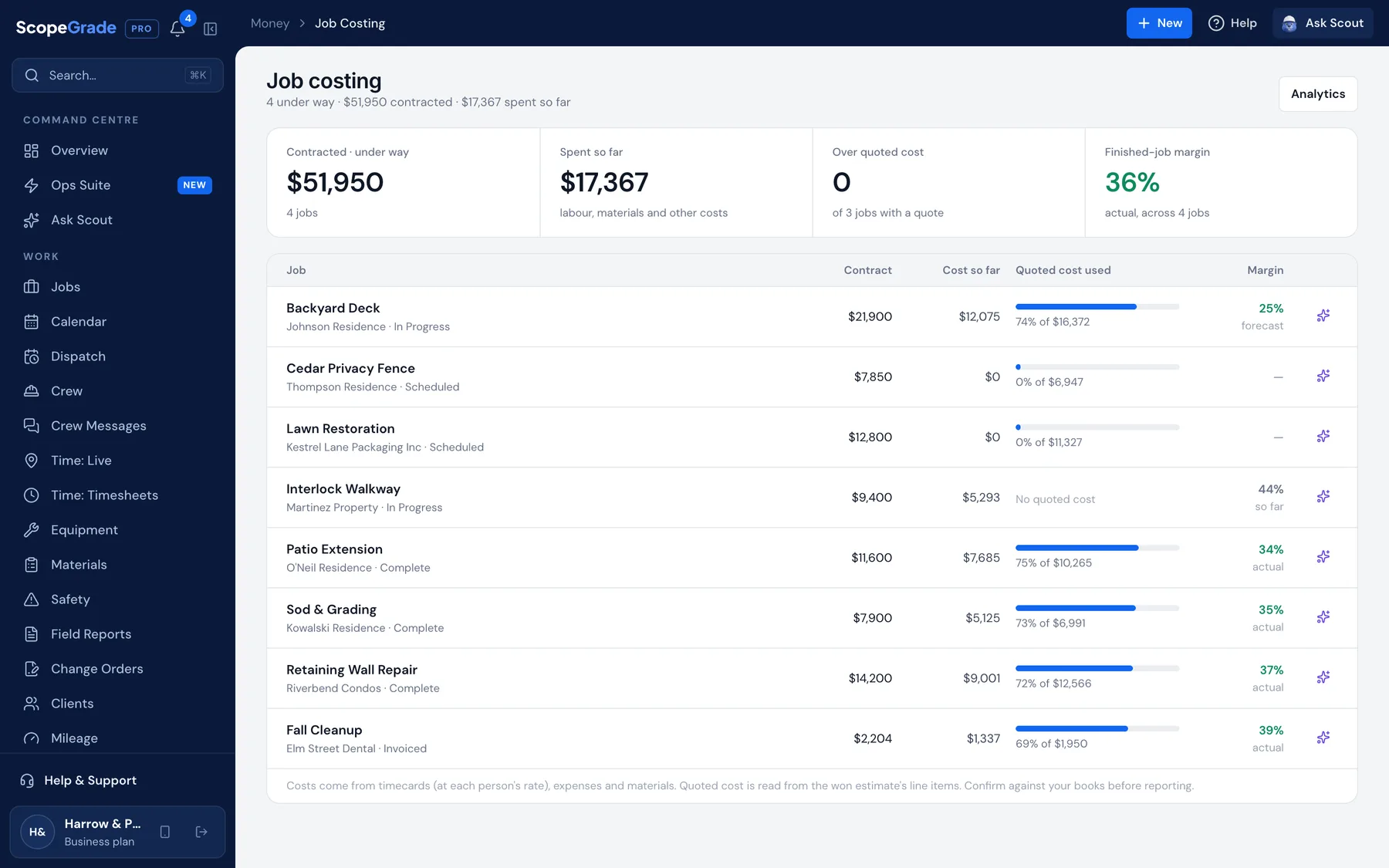
Contract, cost so far, quoted cost used and forecast margin, from the crew's hours and receipts.
What it costs
Free to start, on both sides.
Homeowners never pay ScopeGrade. Contractors read briefs, respond and quote for free. Once hired, they confirm and run the job in Ops Suite, which comes with a paid plan, and a fee comes out of each payment the homeowner makes online.
Homeowners
Free
Post a project, compare quotes, hire and keep the record. You pay your contractor the quoted amount and nothing more.
Contractors
Read briefs, respond and send quotes
Free
No lead fees.
When a homeowner pays you online through ScopeGrade
6% of the accepted quote
Taken from your side of each payment. At least C$39 and never more than C$750 a job. You confirm a hire in Ops Suite, which needs a paid plan, so 8% applies only if that plan has ended when a payment is made.
Ops Suite and the Crew Portal
With every paid plan
Paid plans aren't open for checkout yet. Reserve your plan
Questions
Before you start.
Something else? Use Help & Support, at the corner of any page.
I already have quotes. Do I need to start with a brief?
No. The quote scanner is free and needs no account. Upload a quote as a PDF, a photo or pasted text and it shows what is clearly included, what needs confirmation and what isn't found, with questions to ask. Scan a second quote and it lines the two up. You can start a project from a scanned quote afterwards; your contractor's name, their price and the file are never shared.
Who sees my address?
Contractors see your town and the first three characters of your postal code. Your street address is optional when you post. A contractor sees it only when you ask that contractor for a site visit, or when you hire them.
Does Scout decide who I should hire?
No. Scout checks that your brief is complete before it goes out, then checks each formal quote for what it doesn't say and lists the gaps as questions to ask. It doesn't score, rank or pick between those quotes, and it doesn't tell you what the job should cost. The quote scanner is a separate tool: it grades how complete and clear a quote is.
What does ScopeGrade Verified mean?
Our staff have checked that the business is registered and active, that its liability insurance is current, that its workplace safety coverage is in place or it has declared an exemption, and that it holds a licence if it offers electrical, plumbing or heating and cooling work. It does not cover workmanship or pricing, and not every contractor has it.
How does payment work?
A job is paid in two parts: a deposit once the contractor confirms, and the rest once the work is reported finished. The contractor sets the deposit on their quote, between 10% and 50%, and you see it before you hire. Paying online needs the contractor to have set up payments; until they have, you arrange payment with them directly. An approved change order is billed separately by your contractor.
Do contractors need Ops Suite?
Not to read briefs, respond or send quotes. To confirm a hire and run the job, a contractor needs Ops Suite, which comes with every paid plan.
Does the crew need to install an app?
No. The Crew Portal runs in the phone's browser. The office emails each person an invitation and they choose their own password, or the office sets a login for them.
What can crew members see?
The jobs the office has deployed to them, with the tasks, files and notes, and their own hours. The Crew Portal never shows a job's contract price, budget or invoices, or anyone's pay. Crew leads do see change-order prices.
Are the screens on this page real?
Some are. The Ops Suite and Crew Portal screens are captures of the running product, signed in as a made-up company with a made-up client. The screens marked Example are drawn in the product's own words: everything before the hire, and the homeowner's side after it.